Remove non-uninstallable devices
This link explains how to uninstall devices properly.
However, there are special circumstances where it is not possible to perform uninstallation correctly, for example, if devices were formatted without having previously uninstalled protections, or if they were damaged... In these cases, after 15 days, these devices will appear in the table of installed devices consuming licenses but in the "disconnected" status. Click here for more info.
It could happen that disconnected status is simply due to devices being switched off for holidays or user being on medical leave. In these cases, no action is required because as soon as they return to the activity devices will be reconnected and remain protected normally in "Active" status.
When devices have been diconnected for more than 30 days (a total of 45 days adding those 15 necessary to appear disconnected), they can be removed from the device table as follows:
- A warning will appear indicating that there are disconnected devices for more than 30 days.
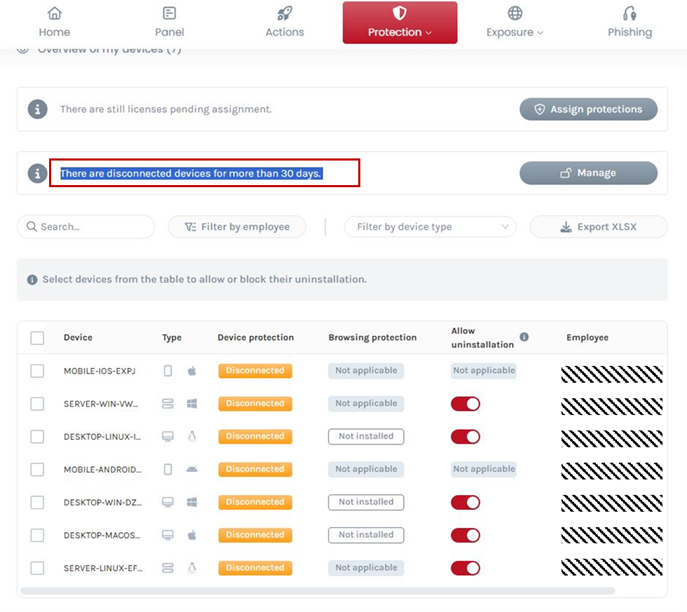
- By pressing the Manage button we will access another screen where we will see only those disconnected devices for more than 30 days.
- Selecting one or more devices in this table allows you to delete them and recover the corresponding licenses.
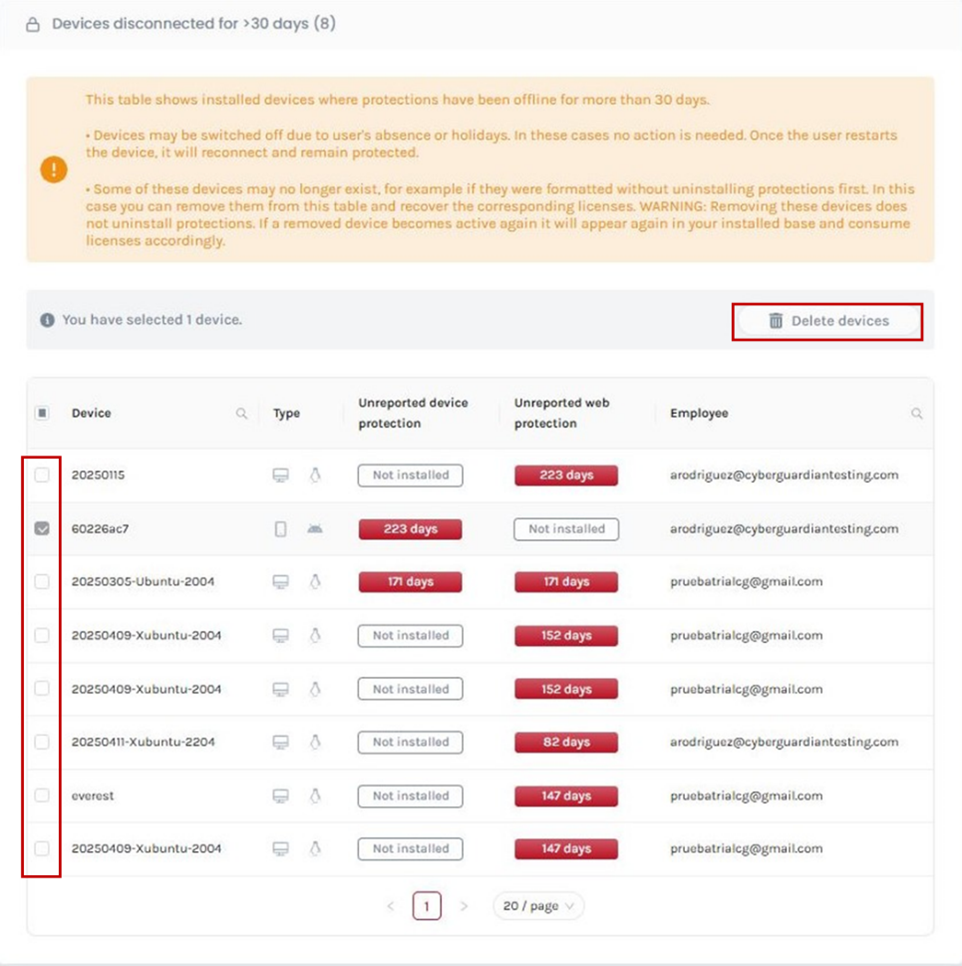
NOTICE: Removal of these devices is not an uninstallation of the protections. If you delete a device by error and then it returns to activity, it will appear again in your installed database and consume the corresponding licenses.